1
See what needs attention
Surface new inquiries, replies needed, and waiting conversations in one focused pipeline.
Limited web beta
Peonies turns customer emails into trackable opportunities, shows who needs a reply, and keeps the context you need to move work forward.
Founder-led onboarding · Free during beta · Limited to 20 accounts
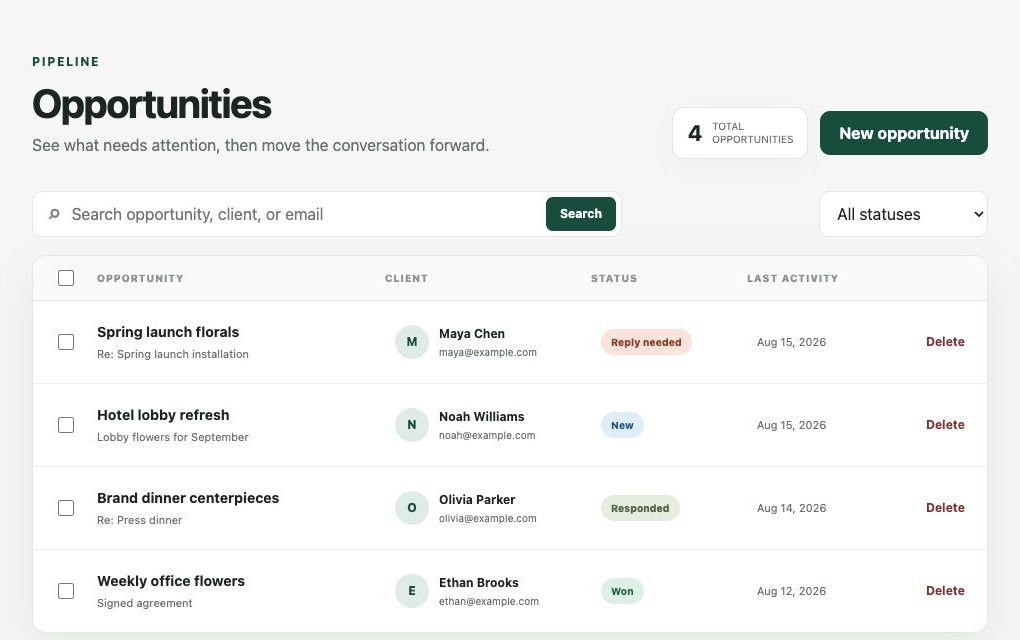
A focused workspace
Start with the customer conversations that need attention, then keep the work moving without rebuilding the story in another tool.
Surface new inquiries, replies needed, and waiting conversations in one focused pipeline.
Review the conversation, client details, deal value, files, and next step without rebuilding the story.
Draft replies, create invoices, and track progress from first inquiry to booked work.
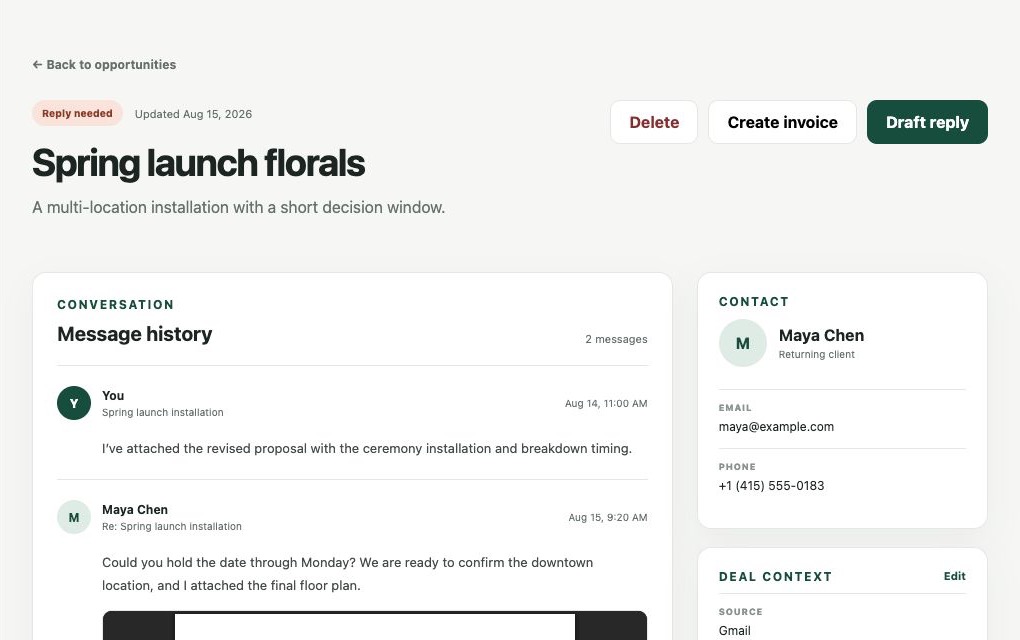
Context where you need it
See what the client asked, what was promised, and what should happen next—all without hunting through an inbox thread.
How it works
Registration identifies you and collects a short beta request. It does not request Gmail access.
Mailbox authorization is a separate, explicit step during workspace setup.
Review the opportunities and conversations that need attention, then move them forward.
Clear permissions
Signing in with Google identifies your account. Peonies requests Gmail access only when you choose to connect your inbox during setup.
Beta registration does not provide Peonies with mailbox access. Review the existing Privacy Policy and Terms of Use for more detail.
Limited web beta
We are opening the Peonies web workspace to a limited group of service businesses. Beta access is free, onboarding is founder-led, and your feedback will directly shape the product.
Peonies for iPhone
The existing iPhone app remains available separately from the free web beta.
These prices apply to the iPhone app, not the limited web beta.
Frequently asked questions
Solo and small service businesses—such as florists, event professionals, photographers, and studios—whose client pipeline lives primarily in email.
Yes. The limited web beta is free and does not require a credit card. The iPhone app has separate pricing.
The current beta centers on turning Gmail conversations into opportunities. You can create an account and request access without connecting Gmail.
No. Google sign-in identifies your account. Gmail access is requested separately and explicitly during setup after approval.
Your request stays pending while we review fit and available capacity. We will email you when your workspace is ready.
It is the same Peonies product family, but the web beta and iPhone subscription are offered separately while the web experience is in beta.
Email peonies@bloomsgiving.com. You can also review the Privacy Policy for account and data-request information.